It’s October 8th, 2024. It’s 3:33 P.M. According to my iCloud calendar, I’m between an intense study session and a machine learning lecture about classification and the Perceptron Learning Algorithm. Not the best time.
An email arrives from Apple. The subject: “Announcing Swift Student Challenge 2025”.
“Oh, dear,” I say. I remember participating in the 2024 edition of the challenge. It didn’t go well.
The Stung of Rejection
Recalling my 2024 participation: during the submissions period, I was busy, overwhelmed, and stressed. Exams were draining my energy, project meetups were taking over my calendar, and the prospect of starting my internship as an iOS developer (along with a small dose of imposter syndrome) was haunting me.
I created a playground for the challenge. A bad one. A tiny, messy, and poorly designed iPad application for simulating HTTP requests. I knew the project was poorly made and that there would be submissions far superior to mine. At the end of March, the results came out. I was rejected. Even though I expected it, the rejection still stung.
I set the car in motion (literally, I was in my car when I received the results) and told myself: “Next year.”
Here’s next year.
What is the Swift Student Challenge?
For anyone unfamiliar, the Swift Student Challenge is an annual coding competition hosted by Apple for students worldwide. Whether you’re in middle school, high school, or college, if you’re at least 13 and passionate about coding, the challenge is for you.
It’s part of Apple’s annual WWDC (Worldwide Developers Conference) and focuses on Swift. The challenge encourages students to showcase their skills by creating an interactive Swift playground project. Apple selects 350 winners, 50 of whom are designated as “Distinguished Winners.” Prizes include exclusive gear and the opportunity to join WWDC at Apple Park.
Why Join the Challenge?
Why did I join? More importantly, why should you?
You might want the official certificate, the free year of the Apple Developer Program, or the AirPods Max. Maybe you dream of visiting Apple Park and talking with Tim Cook or Apple engineers. I’ll admit, that last one is still one of my biggest dreams.
But the biggest reason is to challenge yourself.
You might feel confident in your coding abilities from school or self-teaching, but are you really that confident? The Swift Student Challenge puts that to the test. It’s not about beating others - it’s about pushing your own boundaries. There are no rankings or scoreboards. Apple looks for projects that demonstrate creativity, innovation, and originality.
The Philosophy: Creativity First
Do you need to build massive, scalable applications with state-of-the-art machine learning? Nope.
The Swift Student Challenge is all about creativity. Apple’s prompt essentially boils down to:
Create an interactive scene in an app playground that can be experienced within three minutes. Be creative.
You don’t need a complex app with dozens of features. You just need something that makes Apple’s engineers say, “That’s cool!” Excellence is evaluated on innovation, creativity, social impact, or inclusivity.
Don’t Be Afraid of Existing Ideas
Maybe your app addresses a social issue or teaches coding in a unique way. I considered an app for the blind using haptic feedback, but discarded it when I found a similar project from a previous year.
In hindsight, that was a mistake.
When I’m not coding, I’m writing stories. If you have an idea for a novel that’s been told before, you should tell it anyway, because no one has told it the way you would. The same applies to apps. Don’t discard an idea just because it’s been done. No one has built it the way you would.

The Idea: Screenplay Genie 💡
Finding an idea that is creative, innovative, and condensed into a three-minute experience is tricky. My first few ideas didn’t survive. At one point, I was working on a flat solar system app - cool, but not particularly original.
Then, it clicked. I love stories. I love writing them. I thought: “What if I had an app to learn how to write a screenplay?”
The best ideas often come from that “What if…” formula.
The Realization 👨🏻💻
My submission, Screenplay Genie, is an iPad application that teaches the basics of screenwriting through interactive lessons. While writing in a creative playground, users can preview their screenplay formatted to industry standards in real-time.
I used Swift and SwiftUI, plus a package for confetti effects (for that necessary sense of accomplishment). After a month of sporadic, intense coding sessions, I had something I was proud of.
Tip
You can find the full project on GitHub: alessiorubicini/Screenplay-Genie
The Win 🏅
On February 20th, I hit ‘Submit.’ A wave of relief washed over me. Whether I won or not, I had built something I loved.
Weeks passed. On March 27th, the email arrived. “Congratulations! We’re thrilled to announce that you’ve been selected as a Swift Student Challenge 2025 winner!”

Winning is exciting, but the best part is the community. I feel deeply grateful to Apple for hosting the challenge and to myself for participating without fear.
Conclusion: Don’t Be Afraid to Fail
I don’t believe every story needs a lesson, but this one has an important one: don’t be afraid to fail. Every attempt, even the least successful, is a brick that builds your future. If you’re thinking of joining next year, go for it. You’re laying the foundation for whatever comes next.
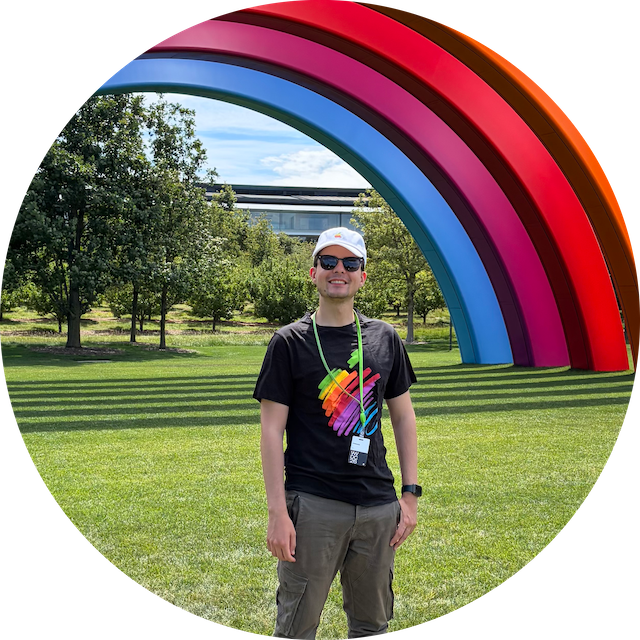
Update: Looking back, I was lucky enough to be selected to attend WWDC in person! I spent three amazing days in Cupertino, visited Apple Park and Infinite Loop, and met incredibly inspiring people. It was absolutely worth it.